





# 📍Наприклад,

1.39K
November 29, 2025
How to navigate the "Square" on the Gate platform: a partial step-by-step guide for beginners ( because I am also still learning ).
I have been studying the Gate platform for three months and finally managed to figure out where different features are located and how to use the "Square" on my own. I am sharing my experience so that other newcomers can navigate more quickly.
1. Entrance to the 'Square'.
1) Go to the Gate page and find the word "SQUARE" in the upper left corner.
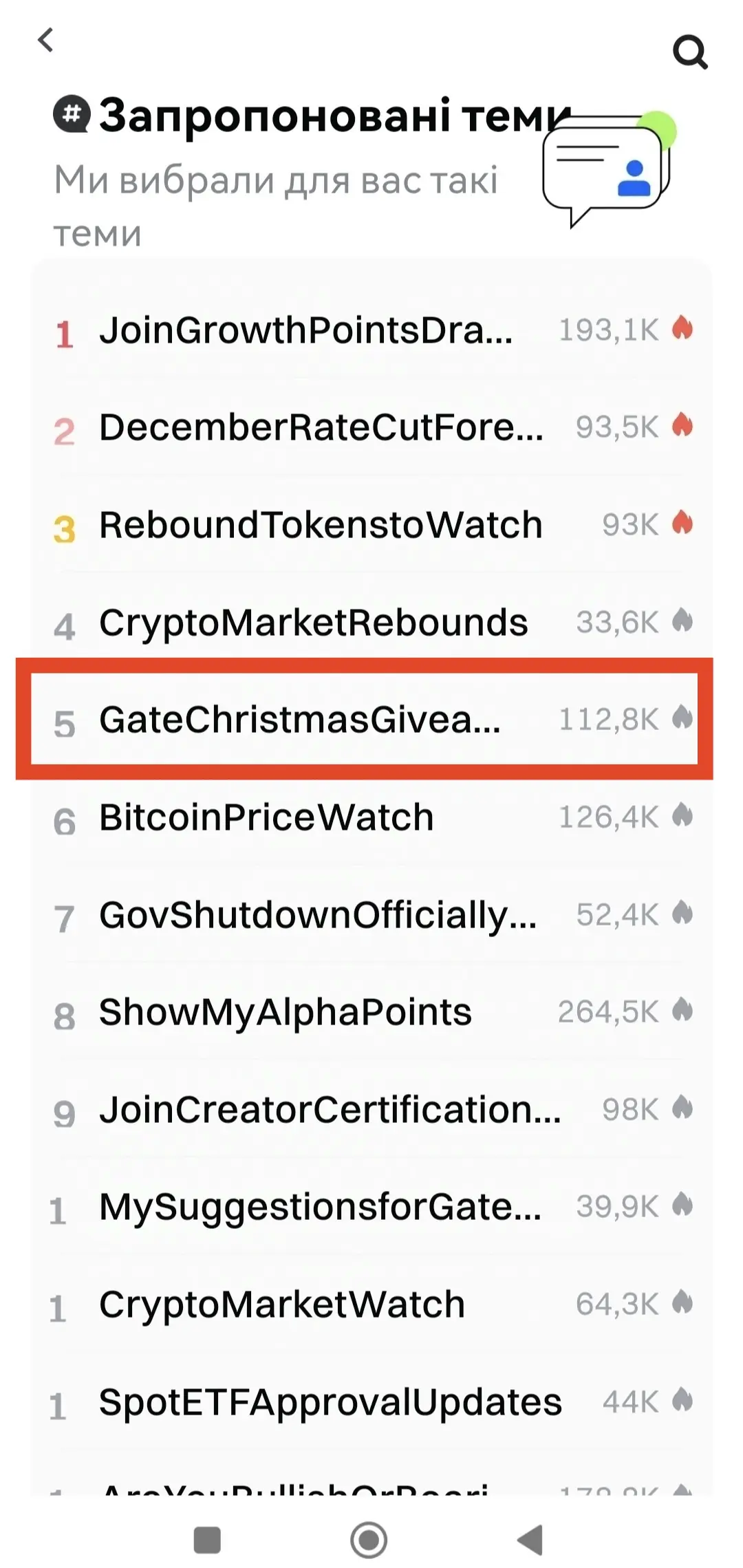
2) Scroll down a bit — a window with "Suggested Topics" will appear.
2. Choosing a topic.
1)
View Original
post-image
post-image
post-image
post-image
post-image
post-image
  • Reward
  • 29
  • Repost
  • Share
GateUser-d6f2b8f2vip:
I have it in the lower left, and it's called the Square. Everything else goes to the point! Thank you for the detailed breakdown!
View More
29.11.2025
How to navigate the "Square" on the Gate platform: A step-by-step guide for beginners ( because I am still learning too ).
I have studied the Gate platform for three months and finally managed to understand where the different functions are and how to use the "box" on my own. I share my experience so that other new learners can navigate faster.
1. Enter the "box".
Enter the Gate page and look in the upper left corner for the word "Quadrats."
Scroll down a bit — a "Suggested Topics" window will appear.
2. Selecting the topic.
1) Click on "Suggested Topics".
2) opens a page with vario
View Original
post-image
post-image
post-image
post-image
post-image
post-image
  • Reward
  • 4
  • Repost
  • Share
Moathalmahdivip:
1000x atmosphere coming 🤑
View More
November 29, 2025
How to navigate the "Square" on the Gate platform: a partial step-by-step guide for beginners ( because I am also still learning ).
I have been studying the Gate platform for three months and finally managed to figure out where different features are located and how to use the "Square" on my own. I am sharing my experience so that other newcomers can navigate more quickly.
1. Entrance to the 'Square'.
1) Go to the Gate page and find the word "SQUARE" in the upper left corner.
2) Scroll down a bit — a window with "Suggested Topics" will appear.
2. Choosing a topic.
1) Click on
  • Reward
  • Comment
  • Repost
  • Share
29.11.2025
How to navigate in the "Square" on the Gate platform: a step-by-step guide for beginners ( as I am also learning ).
In the past three months, I have studied the Gate platform and have finally been able to figure out where the different functions are and how to use "Square" on my own. I share my experience so that newcomers can navigate faster.
1. Enter "Square".
1) Please visit the Gate page and find the text "SQUARE" in the top left corner.
2) Scroll down a bit - a "Suggested Topics" window will appear.
2. Choose a topic.
1) Click on "Suggested Topics".
2) The page will open with d
View Original
  • Reward
  • 1
  • Repost
  • Share
muhengivip:
HODL Tight 💪
#JoinGrowthPointsDrawToWiniPhone17
29.11.2025.
How to navigate the "Square" on the Gate platform: A step-by-step guide for beginners ( because I am still learning too ).
I have studied the Gate platform for three months and finally managed to understand where the different functions are and how to use the "box" on my own. I share my experience so that other new learners can navigate faster.
1. Enter the "box".
Enter the Gate page and look for the word "Quadrats" in the upper left corner.
Scroll down a little - a 'Suggested Topics' window will appear.
2. Choosing the topic.
1) Click on
View Original
  • Reward
  • 1
  • Repost
  • Share
AnnaCryptoWritervip:
Thank you for sharing my post! Let's hold on.
Load More
Trade Crypto Anywhere Anytime
qrCode
Scan to download Gate App
Community
  • 简体中文
  • English
  • Tiếng Việt
  • 繁體中文
  • Español
  • Русский
  • Français (Afrique)
  • Português (Portugal)
  • Bahasa Indonesia
  • 日本語
  • بالعربية
  • Українська
  • Português (Brasil)