Trade real global U.S., Korean, and Hong Kong stocks directly with USDT, with no account opening or complicated process required. Follow these 5 steps, from upgrading to placing an order, and get started easily.
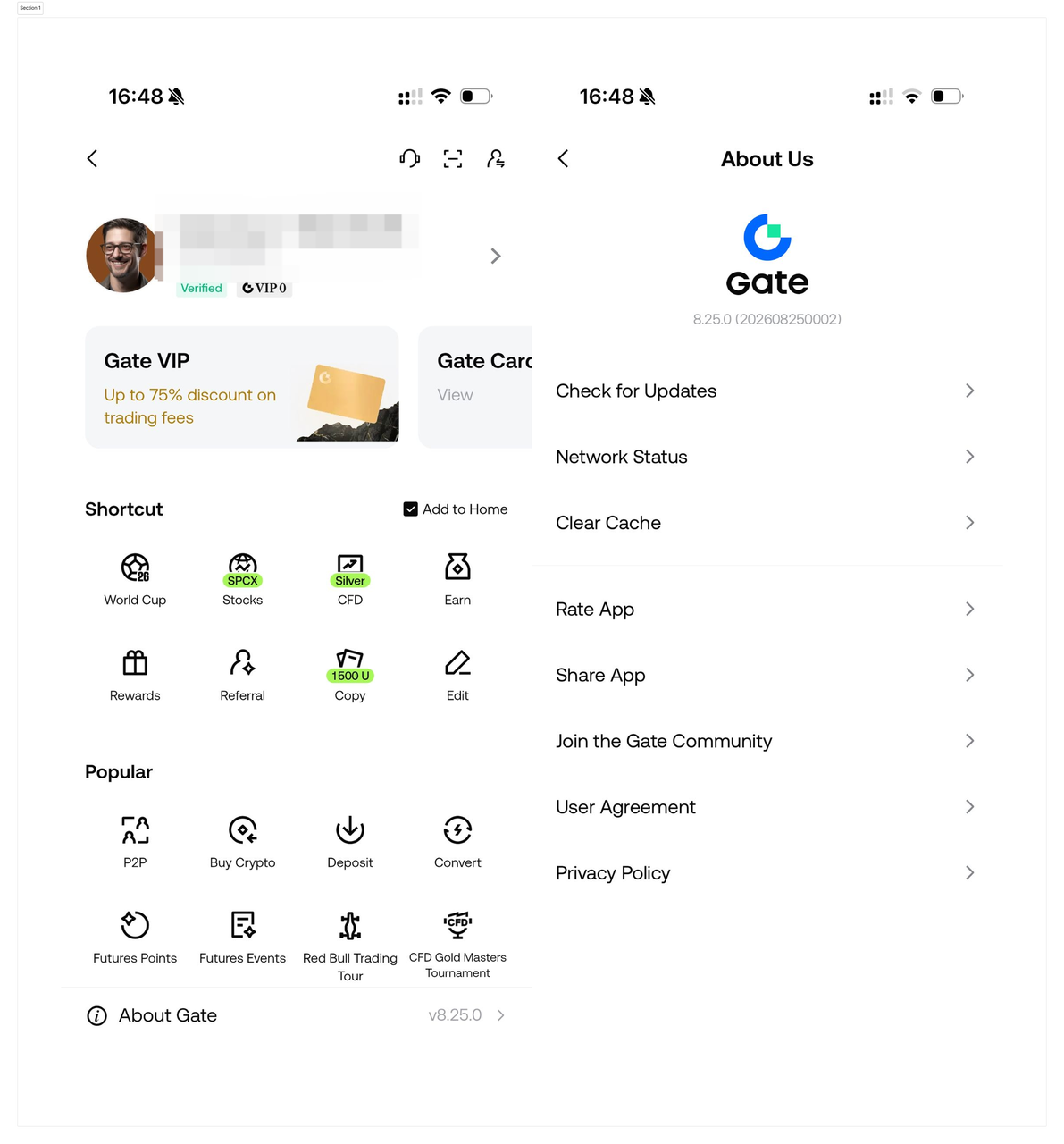
STEP 1 · Update the App to the Latest Version
Gate Stocks now supports both App and Web. Please confirm your App version before placing orders.
Steps:
- Open App Store / Google Play and search for Gate
- Update the App to version 8.25.0 or above
- Existing users: go to [Avatar (top left)] - [About Gate (bottom)] to check your current version. If below 8.25.0, please update immediately.
Without updating, the stock trading entry point will not be visible — this step must be completed first.
STEP 2 · Complete Basic KYC Verification
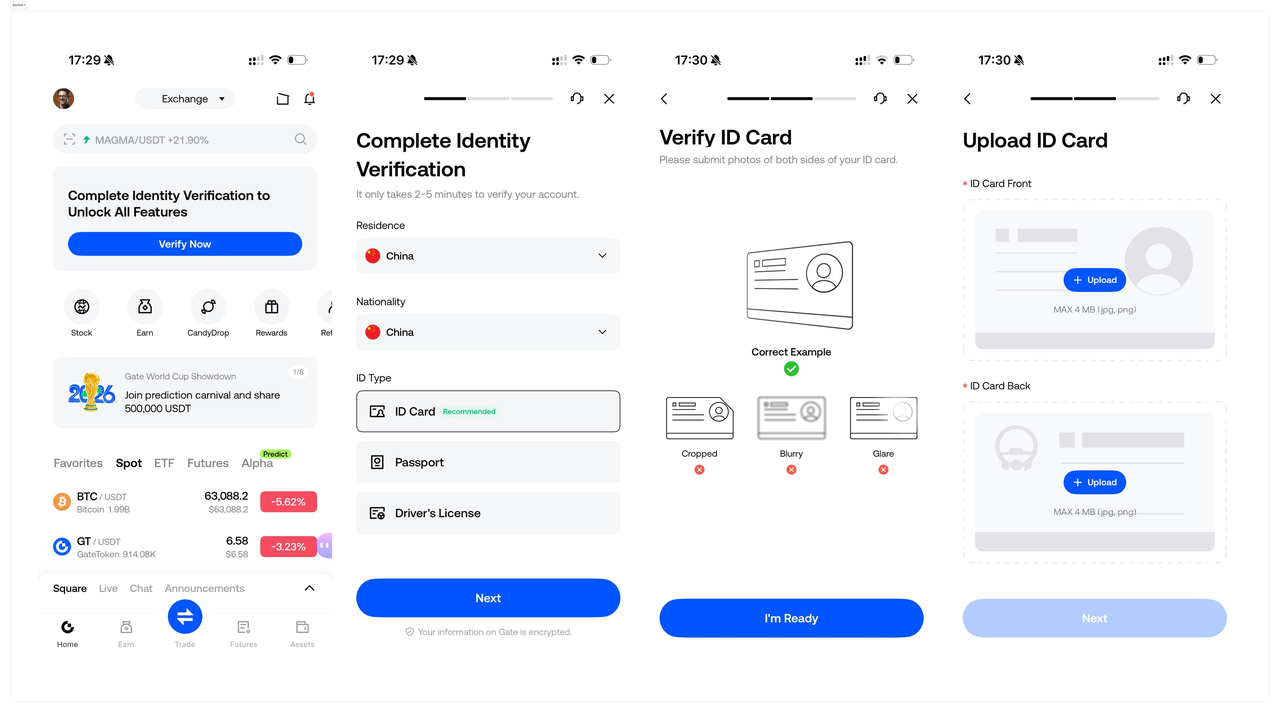
Trading stocks requires basic identity verification on the platform — simple process, done in minutes.
Steps:
- Open the App and tap [Verify Now]
- Fill in your basic information and upload your ID documents as prompted
- After submitting, exit and reopen the App after 4–5 minutes to check your verification result
Existing users who have already completed Gate basic KYC do not need to re-verify — skip to the next step.
STEP 3 · Deposit and Transfer to Your Stock Account
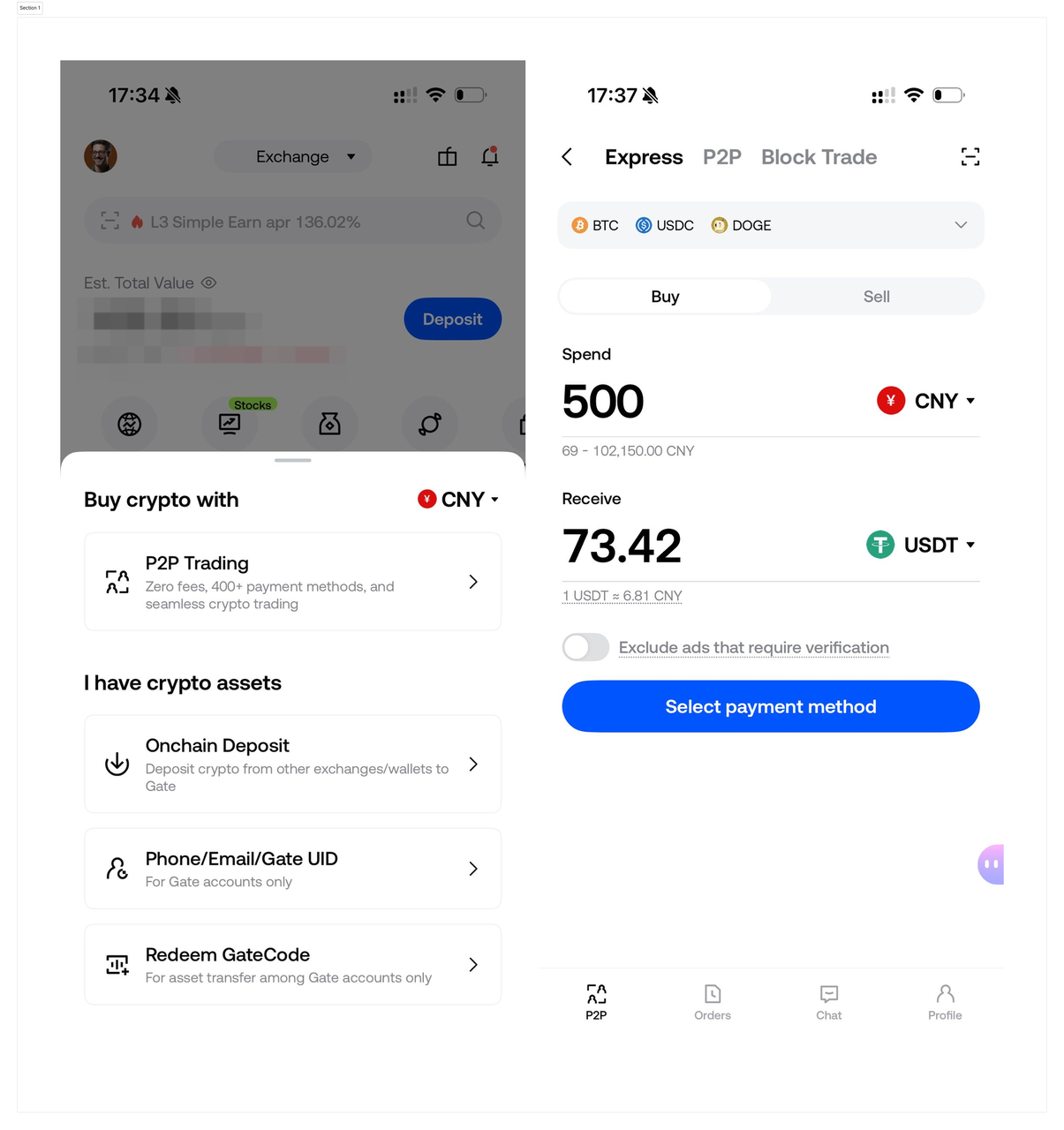
Stock trading uses a separate [Stock Account] — you'll need to transfer USDT in first.
Case 1 · No USDT in your account yet
- P2P Purchase: Go to the homepage, tap [Deposit] - [P2P Trading], select USDT, purchase from a merchant using your local payment method, then transfer once received.
- After obtaining USDT, follow Case 2 to transfer to your Stock Account.
Only USDT is supported. Transfers are instant and fee-free. Without transferring, you can browse market data but cannot place orders.
Case 2 · USDT already in your account
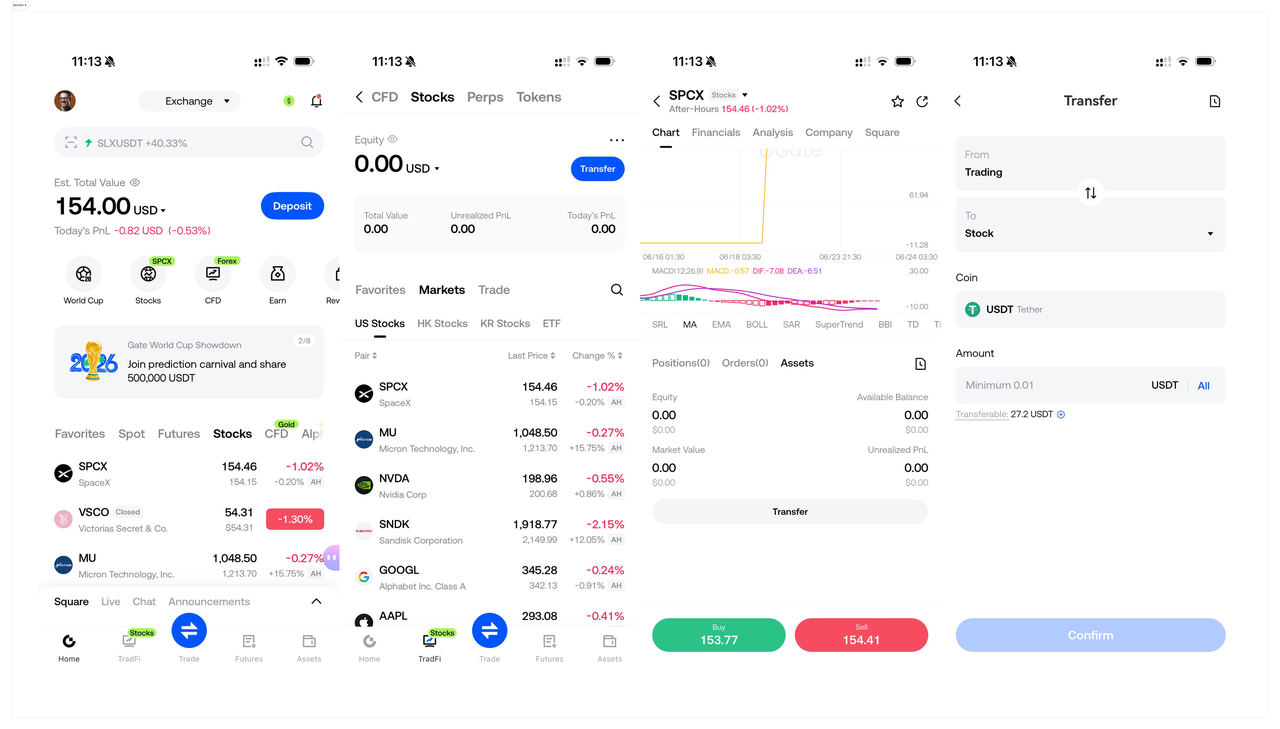
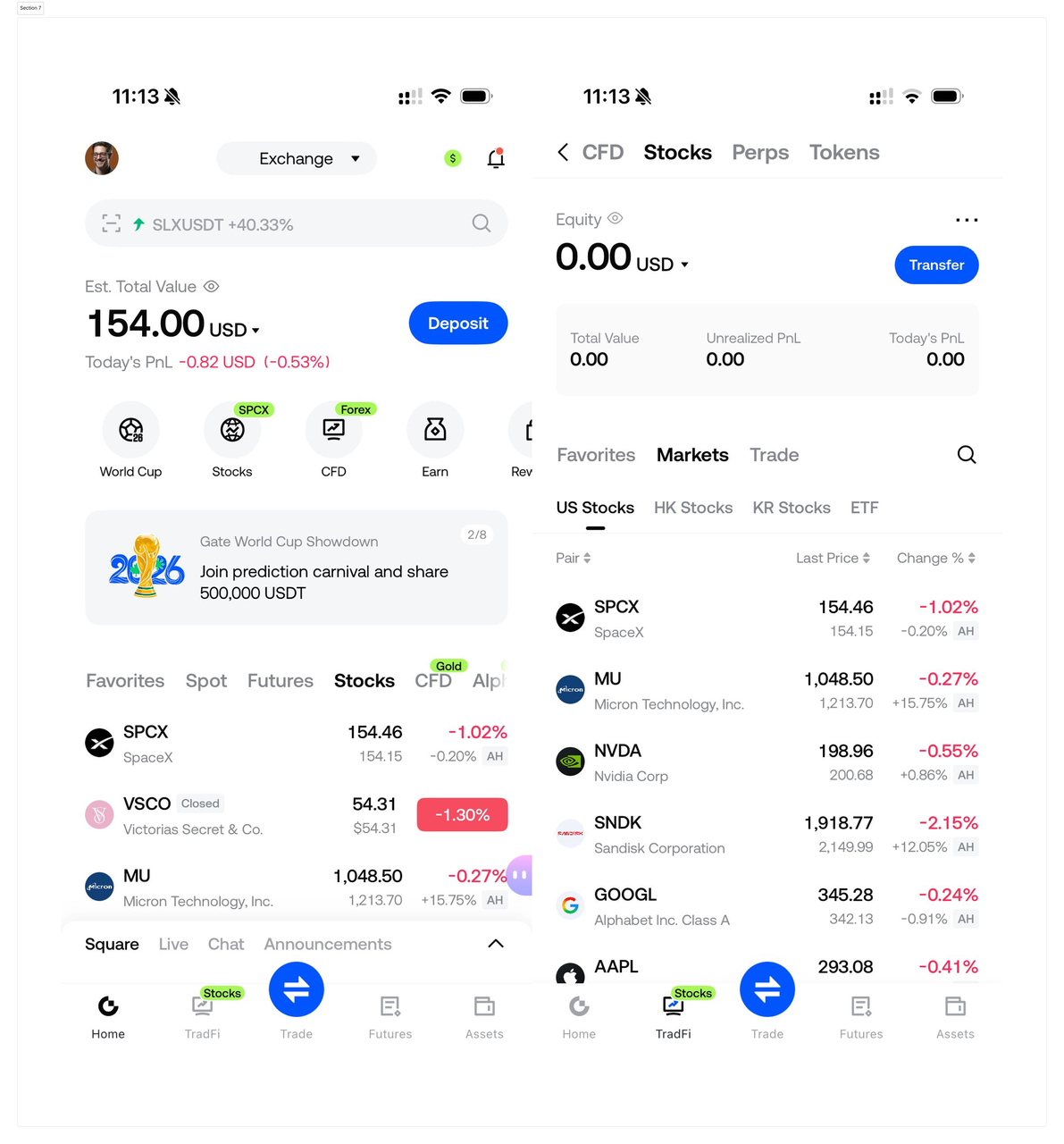
- Tap [Stocks] on the homepage - [Markets] - [U.S. Stocks] /[HK Stocks] /[Korean Stocks] , then tap any trading pair - [Assets] at the bottom - [Transfer]
- Transfer USDT from your[Trading Account] to your[Stock Account] with one tap
STEP 4 · Place Orders Anytime and Complete Your Trade
After the fund transfer is completed, you can select an asset and place an order. Gate Stocks supports 24/7 continuous trading, allowing orders to be placed at any time.
Steps:
- Go to the App homepage and tap [Function Area] -[Stocks]
- Select [Markets] , then choose [U.S. Stocks / HK Stocks / Korean Stocks / ETF]
- Tap any asset - tap [Trade] - tap [Buy / Sell]
- Submit a market order. Once filled, it will Appear under [Positions]
About 24/7 Trading: Gate allows order placement at all times, with no restriction that trading is only available during certain sessions. Liquidity for each asset may vary depending on its native market status. Liquidity is relatively higher when the native market is in pre-market, regular trading, or after-hours sessions; during overnight and weekend sessions, liquidity may be lower, and bid-ask spreads and price volatility may widen. Please check the order book before placing an order.
STEP 5 · Place Orders on Web — More Efficient on a Big Screen
In addition to the App, you can also trade U.S., Korean, and Hong Kong stocks on desktop, with a larger screen for easier market tracking and more comfortable order placement.
Steps:
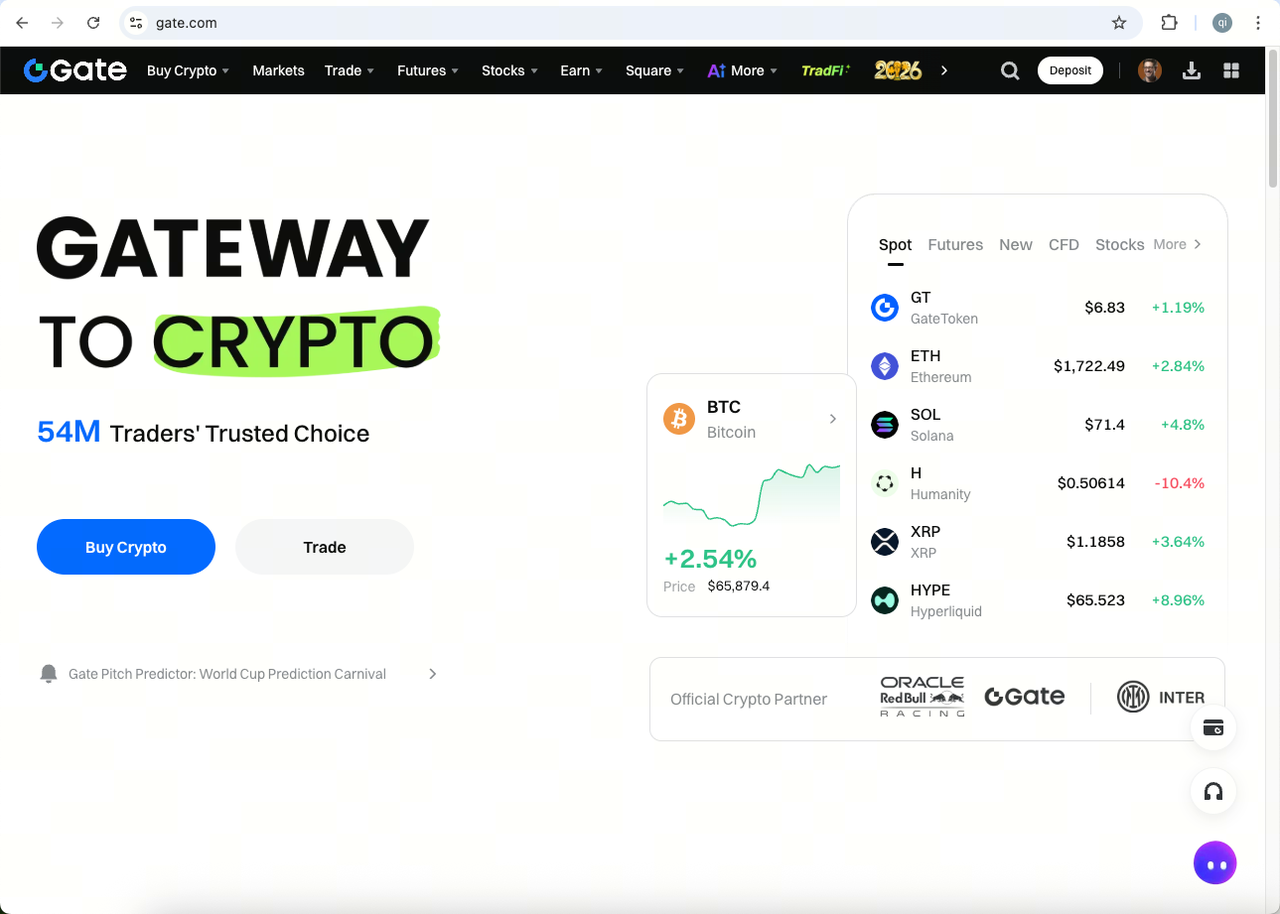
- Open www.gate.com in your browser and log in to your account
- Click[Stocks] in the top navigation to enter the trading homepage
- Select [U.S. Stocks] /[HK Stocks] /[Korean Stocks] /[ETF] , then tap any asset to enter the candlestick trading page.
- Transfer USDT to your[Stock Account] (path: trading page[Assets] -[Transfer] , transfer from[Trading Account] )
- Click[Buy / Sell] , submit a market order — once filled, it Appears under[Positions]
Gate Team
June 4, 2026
Gateway to Crypto
Trade over 4,700 cryptocurrencies safely, quickly, and easily on Gate
Take Action Now
Sign up and claim up to $10,000 in welcome rewards
Invite friends and earn a 40% commission
Stay Connected
Visit Gate's official website
Download the Gate App | Desktop
Follow us on X (Twitter) to get more bonuses
Join our Telegram community to discuss trending topics
Engage with our global community for the latest insights
Transparency & Security
Check our 100% Proof of Reserves


